
Best tools for testing tool abuse in MCP servers
Compare Promptfoo, Inspector, Agent Scan, PyRIT, and RAMPART for MCP tool abuse. This is a tooling map, not a ranking claim.
Compare Promptfoo, Inspector, Agent Scan, PyRIT, and RAMPART for MCP tool abuse. This is a tooling map, not a ranking claim.
- Best tools for testing tool abuse in MCP servers should explain infrastructure choices in a way that is easy to quote, compare, and operationalize.
- Tie architecture explanations back to how local execution, governance, and evidence handling work in practice.
- Use official docs plus product pages so the page can rank for definitions and support AI citation.
Quick answer
The best tools for testing tool abuse in MCP servers are the ones that can watch a tool call exceed its grant or act on poisoned instructions. Use this page to map layers; it does not claim a page-one ranking.
What this page covers
- Promptfoo, MCP Inspector, Agent Scan, PyRIT, and RAMPART as layers for MCP tool abuse, and when a tool-abuse test is the right next check.
What this page does not cover
- A page-one ranking promise, unpublished 0xClaw scan scores, or host-and-network pentesting.
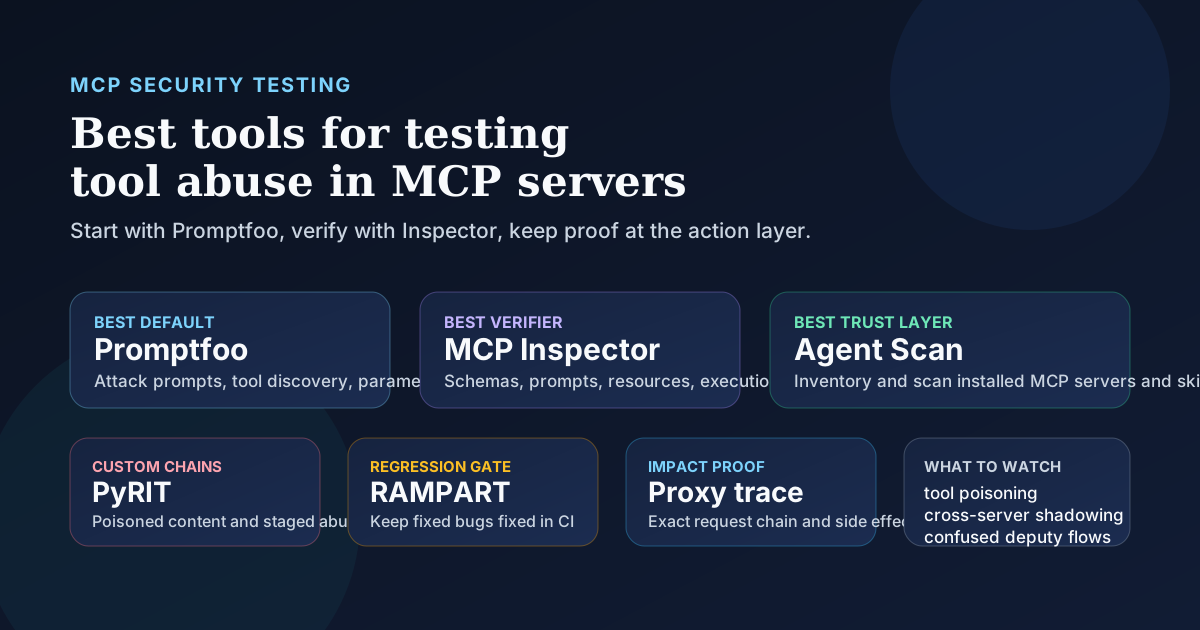
That said, one tool is not the whole job. MCP Inspector is the best verification companion because it shows the raw tool schema, prompt templates, resources, and execution results that explain why an attack worked. Agent Scan is the best pre-install and workstation scanning layer when you need to inventory local agent components and catch poisoned descriptions or risky skills before they get trusted. PyRIT is still the better fit for messy multi-step abuse chains. RAMPART is what you use after a real bug so the fix stays fixed. And if a finding is high severity, a proxy workflow is still the cleanest way to prove what actually got called downstream.
If you want the adjacent attack class first, read best tools for testing prompt injection in MCP servers. If you need protocol context, start with what is MCP.
Why tool abuse in MCP servers is its own problem
Teams often blur "prompt injection" and "tool abuse" together. I would not. Prompt injection is one way to steer the model. Tool abuse is the thing you are trying to prove after that steering succeeds.
The OWASP MCP Security Cheat Sheet is direct about the risk model. MCP gives the model visibility into tool descriptions from connected servers, and that creates room for tool poisoning, tool shadowing, confused deputy problems, data exfiltration through normal-looking calls, over-scoped tokens, and sandbox escape risk. That is a different failure shape from a chatbot that merely says something weird.
In an MCP environment, the attacker usually does not need a dramatic exploit. They need the host to trust the wrong tool description, accept extra parameters, over-trust a tool return value, or let one server influence another. The ugly part is that all of those actions can look legitimate at first glance. A model uses a real tool. The tool accepts a real schema. The request reaches a real backend. That is why a good testing stack has to inspect both language behavior and action behavior.
What a good tool-abuse testing stack has to prove
If your test only shows that the assistant can be nudged into odd text, you are not done. For MCP, I want proof at the tool boundary.
The minimum useful checks are:
- Can the model discover tools it should not use or should not even know about?
- Can it send extra parameters, malformed fields, or attacker-shaped values that slip past schema expectations?
- Can one server's metadata or output poison another server's behavior?
- Can the workflow exfiltrate data through normal-looking arguments such as search queries, email bodies, or URLs?
- Can the agent trigger a high-impact action without a real approval boundary?
- Can you replay the failure with concrete evidence, not just a suspicious final answer?
This is why the OWASP guidance keeps pushing on schema integrity, least privilege, human approval for sensitive actions, input and output validation, and server isolation. Good testing tools line up with those control points. Weak ones stop too early and tell you only that "the model looked vulnerable."
Best tools for testing tool abuse in MCP servers compared
| Tool | Best fit | What it proves well | Main limitation |
|---|---|---|---|
| Promptfoo | Best overall starting point | MCP-specific abuse prompts, unauthorized tool discovery, parameter injection, output manipulation, privilege-boundary testing | You still want a second tool for deep protocol inspection |
| MCP Inspector | Best inspection and verification tool | Tool schemas, descriptions, prompt templates, resources, custom inputs, raw execution results | It helps you inspect, not fully red-team by itself |
| Agent Scan | Best pre-install and workstation scanning layer | Inventory of installed agent components, prompt-injection risk in MCP servers and skills, risky natural-language payloads | Scanning MCP configs can execute configured commands, so it needs care |
| PyRIT | Best for custom multi-step abuse chains | Poisoned content, staged attacks, cross-boundary flows, custom scoring | More setup and more engineering discipline |
| RAMPART | Best for regression | Turning a discovered failure into a repeatable CI test with repeated trials | Best after discovery, not as your only first-pass tool |
| Proxy workflow such as Burp | Best proof of downstream impact | Exact request chain, real parameters, backend side effects, auth failures versus model failures | Manual work, no MCP-specific attack generation |
If you want the shortest ranking, I would put them in this order for most production teams: Promptfoo first, Inspector second, Agent Scan third, PyRIT fourth, RAMPART fifth, then a proxy whenever the finding matters enough to defend in front of engineers.
Why Promptfoo is the best default starting point
Promptfoo earns the top spot because its MCP support is aimed at the server itself, not just at a generic chat wrapper. The MCP provider docs say the mcp provider treats the MCP server as the target system under test, and it supports both local command-based servers and remote URL-based ones. That matters because real MCP programs are split across stdio local servers, remote HTTP deployments, and mixed setups that use several servers at once.
The MCP plugin docs are even more relevant. Promptfoo explicitly lists function discovery, parameter injection, function call manipulation, excessive function calling, function output manipulation, tool metadata injection, and unauthorized tool invocation as MCP attack vectors. That is the right category boundary for tool abuse. It is not just asking whether the assistant can be tricked. It is asking whether the assistant can be tricked into using tools in unintended ways.
I also like that Promptfoo recommends combining the MCP plugin with pii, bfla, bola, and sql-injection. That is more honest than pretending MCP security lives in a neat silo. If your agent can call a customer-data tool, broken object authorization still matters. If the tool accepts a free-form field, injection still matters. If the tool response contains sensitive data, privacy testing still matters.
Why MCP Inspector matters more than people think
Promptfoo can tell you that something bad happened. MCP Inspector is often how you figure out why.
The official Inspector docs make the case without much marketing noise. Inspector lets you choose the transport, customize command-line arguments and environment for local servers, inspect resource metadata and content, inspect prompt templates, inspect tool schemas and descriptions, test tools with custom inputs, and view execution results and notifications. For tool-abuse work, that is gold.
Here is the failure pattern I keep seeing. A team gets a suspicious result from a red-team harness, but nobody can tell whether the root cause was:
- a poisoned tool description
- a loose schema with undeclared optional fields
- a prompt template that over-trusted tool output
- a resource that carried instructions in what looked like data
- a host that quietly exposed more tools than anyone expected
Inspector helps separate those cases. It is also one of the fastest ways to review a community or internal server before it gets broad trust. When the OWASP cheat sheet says to inspect descriptions, parameter names, types, and return schemas before approval, Inspector is one of the most practical ways to do that.
Agent Scan is the right layer before runtime red teaming
Snyk Agent Scan is not the same category as Promptfoo, and that is exactly why it belongs in the stack. Its README describes it as a way to discover and scan agent components on your machine, including MCP servers and skills, for prompt injections, sensitive-data handling issues, and malware-like payloads hidden in natural language.
That makes it useful earlier in the lifecycle. Before you run a live attack, you often want to know:
- what MCP servers are already installed
- which skills or configs quietly expanded the local attack surface
- whether tool descriptions already contain suspicious language
- whether a workstation has accumulated agent components nobody is actively reviewing
There is one operational catch worth saying out loud. The project warns that scanning MCP configurations can execute the commands defined in them. That is not a reason to ignore the tool. It is a reason to use it like a security tool and not like a toy. Run it in a controlled environment, review what it will touch, and do not confuse inventorying with sandboxed detonation.
This is also where the broader supply-chain story matters. If your team installs community MCP servers casually, a static and config-aware scan step can save you from trusting something you should have treated as untrusted software from the start.
PyRIT and RAMPART solve the second half of the job
I would pull in PyRIT when the attack path gets ugly. Its framework docs explicitly call out cross-domain prompt injection attacks around poisoned web content, and the pattern carries cleanly into MCP work. The malicious instruction can live in a resource, a document, a server-returned payload, or any other place where "data" gets folded back into a later tool decision. If the flow is multi-step and you need custom scoring, PyRIT gives you the room to build it.
RAMPART is the tool I care about after the bug is real. Microsoft introduced it on May 20, 2026 as a testing framework for agent development workflows, with the most mature coverage focused on cross-prompt injection style attacks. That matters for MCP because a lot of tool-abuse bugs come back in slightly different forms. One field gets fixed. Another tool appears. An approval step gets bypassed in a new path. If you do not encode the exploit as a repeatable test, the bug is still alive, it is just resting.
So the split is simple:
- use PyRIT when you need to model a weird, staged, realistic attack chain
- use RAMPART when you need the discovered chain to stay in CI forever
You still need proxy-level proof for serious findings
This is the part people skip when they are in a hurry. They should not.
PortSwigger's Web LLM attacks guidance says to map the LLM's API attack surface and then probe those reachable APIs like any other target. That principle translates cleanly to MCP. Once the model can reach a tool, the interesting question is not just "could it try?" It is "what call actually happened, with what parameters, under what identity, and what did the backend do with it?"
A proxy workflow answers questions the model-facing tools cannot answer cleanly:
- Did the host append hidden parameters?
- Did the backend reject the action for auth reasons?
- Did the request hit the wrong tenant, object, or endpoint?
- Did a return value get reused in a second unsafe call?
- Did the problem live in the model, the host shim, or the server itself?
For low-severity weirdness, you may not need this step. For a report that claims data access, state change, message sending, or cost-generating side effects, I would not skip it.
How I would build a practical MCP stack in real life
If I were setting this up for a security team that needs signal quickly, I would not chase a one-tool fantasy.
I would build the stack like this:
- Start with Promptfoo for first-pass offensive coverage against the actual MCP server.
- Use Inspector immediately after a suspicious result to confirm the tool schema, resource shape, prompt template, and raw execution behavior.
- Run Agent Scan on developer environments and server inventories to catch obvious trust and supply-chain mistakes before they hit runtime.
- Bring in PyRIT for the edge cases that involve poisoned content, stateful flows, or multi-step abuse.
- Turn confirmed bugs into RAMPART tests so the fix survives model changes and refactors.
- Use a proxy to prove the exact request path and downstream impact when the bug is worth escalating.
That stack also pairs well with the rest of the MCP workflow on this site. If you are comparing platforms, go to /compare. If you are planning how findings should be documented, this MCP pentest report template is the next useful read. If you are evaluating vendors instead of building the stack yourself, this vendor guide for MCP servers is the better companion.
FAQ
What is tool abuse in an MCP server?
Tool abuse happens when a model or host uses a legitimate MCP tool in an unsafe way. That can mean discovering tools it should not use, selecting the wrong tool, passing attacker-shaped parameters, reusing poisoned output, or triggering a sensitive action without a proper approval boundary.
What is the best single tool for testing tool abuse in MCP servers?
Promptfoo is the best single starting point for most teams because it can target MCP servers directly and already includes MCP-specific abuse vectors such as unauthorized tool discovery, parameter injection, output manipulation, and privilege-boundary testing.
Why is MCP Inspector not enough by itself?
Inspector is excellent for examining transports, prompts, resources, schemas, and execution results. It is weaker as a standalone adversarial harness. It helps you verify and debug failures, but you usually want another tool to generate the failures in the first place.
When should I use Agent Scan instead of Promptfoo?
Use Agent Scan earlier, when you want inventory and pre-runtime scanning of installed MCP servers and skills. Use Promptfoo when you want to attack a running server and measure whether the workflow can actually be abused.
Do I still need a proxy if I already have red-team tooling?
Yes, for important findings. Red-team tooling can show the model took the wrong path. A proxy shows the exact request, parameters, auth context, and backend effect that make the finding actionable for engineers.
What is the biggest testing mistake teams make with MCP tool abuse?
They stop at model behavior. The real issue is often in the schema, the host bridge, the server permissions, or the backend action path. If you do not inspect and replay the action layer, you can miss the bug that matters.
Bottom line
If you want one recommendation, start with Promptfoo.
If you want the best pair, use Promptfoo and MCP Inspector.
If you want a stack that holds up in production, add Agent Scan for trust-layer visibility, PyRIT for ugly multi-step chains, RAMPART for regression, and a proxy for proof. That mix is less tidy than a single winner, but it matches how MCP failures actually happen. Tool abuse in MCP servers lives at the boundary between language, schemas, permissions, and real side effects. Your testing stack should see all four.
Ready to run your first AI pentest?
Get 0xClaw up and running in under 3 minutes. No infrastructure setup. No cloud dependency.
More AI Pentest Guides
Continue through the local AI pentesting cluster with related guides on workflow, evidence, comparisons, and remediation.
Best AI penetration testing tools 2026
Compare 0xClaw, NodeZero, PentestGPT, Promptfoo, and garak by execution layer. Chat advice is not authorized target testing.
Read next ->AI Pentest CLI Explained | 0xClaw
Learn what an AI pentest CLI is, how local AI penetration testing works, and how to evaluate a safe, authorized workflow.
Read next ->Run a Local AI Pentest Workflow | 0xClaw
Learn how to run a local AI pentest workflow from scope to report across authorized web, API, host, and network testing.
Read next ->