
Open Source vs Managed MCP | 0xClaw
Use this checklist to compare open-source and managed MCP pentesting across control, auth design, evidence quality, cost, and remediation speed.
Use this checklist to compare open-source and managed MCP pentesting across control, auth design, evidence quality, cost, and remediation speed.
- Open Source vs Managed MCP | 0xClaw should explain infrastructure choices in a way that is easy to quote, compare, and operationalize.
- Tie architecture explanations back to how local execution, governance, and evidence handling work in practice.
- Use official docs plus product pages so the page can rank for definitions and support AI citation.
Quick answer:
If your team has the engineering depth to own auth, logging, runtime isolation, and retest loops, an open-source MCP stack can give you better control and lower long-term platform lock-in. If your bigger problem is operational discipline, not raw flexibility, a managed option usually wins because it reduces setup drift, shortens time to first test, and makes governance less fragile. The wrong way to decide is to ask which side is "better" in the abstract. The right way is to score both against the failure modes your MCP deployment actually creates.
Anthropic introduced MCP as an open standard for connecting models to tools and data. That openness is useful, but it also means buyers have to own more judgment. OpenAI's MCP guidance is explicit that custom remote MCP servers are third-party systems and that prompt injection can lead to unintended tool use or data exfiltration. The official MCP security guidance adds sharper warnings around token passthrough, over-broad scopes, insecure local servers, and weak trust boundaries.
So the question is not "open-source or managed?" It is "which model leaves us with fewer blind spots after the demo ends?"
The one-screen version sits here: 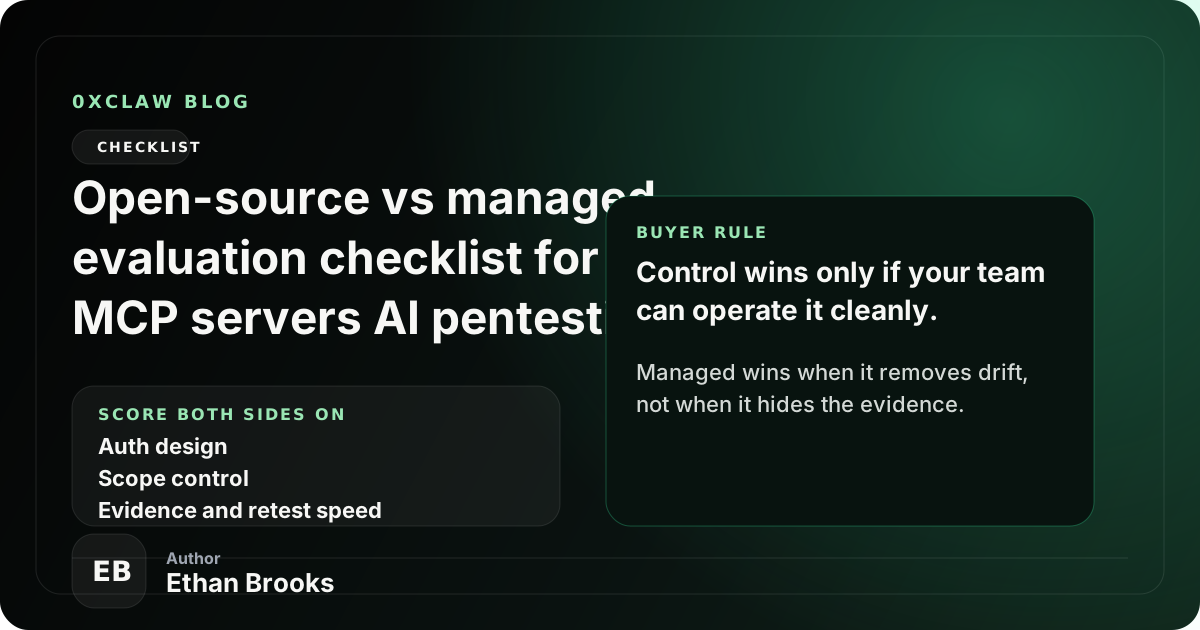
If you want the protocol background first, start with what MCP is. If you are already comparing options, keep this article next to the broader compare hub and the more detailed vendor evaluation guide for MCP servers.
What "open-source" and "managed" usually mean in MCP buying decisions
In practice, buyers use these terms loosely, which creates bad decisions.
An open-source MCP approach usually means you run or adapt open-source servers, SDKs, or testing harnesses yourself. You decide where the server runs, how OAuth is wired, how logs are stored, how tool permissions are constrained, and how findings are reproduced after a fix. The upside is control. The downside is that every missing control is now your problem.
A managed MCP approach usually means a vendor hosts or brokers the MCP service, or gives you a platform layer that standardizes auth, approvals, logs, deployment, and reporting. The upside is speed and consistency. The downside is that you have to trust the provider's boundaries, release cadence, and evidence model. Some managed products are opinionated in the right places. Others just hide complexity until you hit an edge case.
That distinction matters because MCP is not just an integration format. It is an execution boundary. The MCP authorization spec requires access tokens to be validated for the intended audience and says servers must not transit other tokens. That sounds obvious. It stops sounding obvious once a team starts stitching together a remote MCP server, a local helper, a hosted auth service, and a model that can call tools on its own.
The evaluation checklist that matters most
Use this scorecard before you decide. A five-point scale is enough. What matters is whether your team can defend the number with evidence.
| Category | Open-source questions | Managed questions | Why it matters |
|---|---|---|---|
| Auth design | Who owns OAuth, token validation, and audience checks? | Does the provider expose enough detail to audit auth behavior? | MCP auth failures are easy to hide in demos |
| Scope control | Can you enforce least privilege per tool and resource? | Can the platform constrain scopes cleanly, or only globally? | Over-broad access turns prompt mistakes into real incidents |
| Prompt injection resilience | Can you test tool poisoning, retrieved-content attacks, and unsafe write paths? | Does the provider show prompt-risk controls and review points? | MCP tools turn model mistakes into actions |
| Local runtime exposure | Can you isolate local servers, startup commands, and loopback access? | Does the managed layer remove local risk or just relocate it? | Local MCP servers create workstation risk |
| Logging and evidence | Do you control raw traces, approvals, and handler-level logs? | Can you export enough evidence for engineering and audit? | Retest quality matters more than polished dashboards |
| Remediation speed | How fast can you patch and replay the same attack path? | How fast can the provider retest or expose updated traces? | The best finding is the one you can verify as fixed |
| Cost shape | Are you paying with engineering time instead of license fees? | Are you paying for convenience you will not use? | Total cost is rarely just invoice cost |
| Vendor dependence | Can you swap tools without rewriting your program? | Can you leave without losing critical evidence or workflows? | Lock-in compounds over time |
If a platform or internal champion cannot answer those questions directly, treat that as a negative signal. Buyers often burn weeks debating feature breadth while ignoring whether the team can reproduce one real failure twice in a row.
Where open-source usually wins
Open-source tends to win when the security team is disciplined and the environment is awkward enough that packaged defaults become a liability.
The first win is control over trust boundaries. If your team needs to inspect token flows, rotate secrets on your own cadence, store traces in your own systems, and verify exactly how a server handles read versus write operations, open-source gives you fewer opaque layers. That is valuable when your risk review has to survive contact with identity architects, compliance reviewers, and skeptical engineers.
The second win is fit for unusual environments. Some MCP programs are not clean SaaS deployments. They involve internal APIs, local developer tooling, VPN-gated resources, high-trust admin tools, or hybrid stacks that do not behave like a polished connector demo. Open-source lets you meet that reality instead of pretending it will disappear.
The third win is deeper test customization. If you need to build targeted prompt-injection cases, handler-specific abuse paths, or evidence collection tuned to one high-value workflow, open-source tools usually give you more room. That matters when the business risk is concentrated in a handful of sensitive tools rather than spread evenly across the estate.
But there is a catch, and it is the one teams consistently underestimate: open-source only wins if you are prepared to own the operational boring stuff. The official MCP security best practices call token passthrough an anti-pattern and explicitly forbid it because it breaks security controls and auditability. A team that loves "control" but cannot maintain clean auth boundaries is not buying control. It is buying exposure.
Where managed usually wins
Managed options tend to win when your real constraint is execution quality.
The biggest advantage is faster operational maturity. A managed layer can standardize approvals, logs, environment setup, and testing workflow faster than most internal teams will. That is useful when the business needs answers now, not after two quarters of platform hardening.
Managed also wins when consistency across teams matters more than bespoke flexibility. If several application teams, AI platform teams, or regional units need the same review process, a managed service can prevent every team from improvising its own weak variant. That alone can justify the spend.
There is also a governance argument. OpenAI's connectors and remote MCP guidance notes that prompt injection becomes more dangerous when models can access sensitive data or take action through MCP servers, and that approval behavior matters. A good managed service can make those approval boundaries visible and harder to bypass by accident.
Still, buyers should stay suspicious. "Managed" does not automatically mean "secure." It can also mean "harder to inspect." If the provider cannot show how auth is validated, how write actions are reviewed, how raw evidence is exported, or how a finding is retested after your fix, then the convenience premium may be covering an evidence gap.
The five hard security questions to ask both sides
No matter which direction you lean, ask these five questions and refuse vague answers.
1. how are tokens validated, and for which audience?
The MCP authorization spec says servers must validate that tokens were issued for them as the intended audience. If the answer drifts into generic OAuth comfort words without audience validation detail, stop there and dig deeper.
2. can the model reach tools with broader scope than it needs?
This is where "it works" becomes "it fails safely." Broad scopes turn minor prompt issues into major incidents. Whether you run open-source or managed, ask how tool access is constrained per workflow, not only per environment.
3. how is prompt injection tested when tools can write, not just read?
This is a useful honesty test. Plenty of teams will say they test prompt injection. Fewer can show how they test action-taking paths, cross-tool exfiltration, or malicious retrieved content that changes downstream behavior.
4. what evidence do we keep after a fix?
The answer should include raw traces, reproduction steps, approvals, affected handlers or resources, and a replay path. If you only get a summary PDF, the remediation loop will be weaker than it looks.
5. what fails closed?
Ask what happens when auth metadata is wrong, when a local helper is unavailable, when a tool approval is missing, or when the upstream service changes behavior. The best systems are boring here. They deny, log, and surface the problem clearly.
A simple scoring model for real pilots
Do not turn this into a six-week architecture debate. Run a bounded pilot and score what happened.
I would use one realistic target and one realistic repair cycle. Pick an MCP workflow that actually matters, such as a support, developer, or internal operations server with both read and write capability. Then run the same pilot against the open-source path and the managed path.
Score each side from 1 to 5 on these outcomes:
- How quickly did the team reach a trustworthy first result?
- How clearly could the team inspect auth, scope, and approval behavior?
- How complete was the evidence package for engineering review?
- How fast could the team reproduce the issue after a fix?
- How much hidden operator knowledge was required to keep the process working?
That last point matters more than people admit. A workflow that only works when one staff engineer is awake is not a stable security program. It is a dependency.
If you want a product lens while you score, use this article alongside pricing and download. That combination forces a more honest tradeoff between control, operating cost, and how much work your team is actually ready to absorb.
My default recommendation by team type
If I had to make a default call with limited information, I would break it down like this.
| Team type | Better starting point | Why |
|---|---|---|
| Small but strong security engineering team | Open-source | They can turn control into real assurance |
| Large org with uneven platform maturity | Managed | Consistency beats theoretical flexibility |
| Heavily regulated environment with strict evidence needs | Depends, but often hybrid | Open-source control plus managed workflow can be the best compromise |
| Fast-moving product team that needs quick coverage | Managed | Time to usable process matters most |
| Research-heavy or custom-agent team | Open-source | Edge-case testing usually outruns managed defaults |
A hybrid path is common for a reason. Teams use managed services for repeatable workflow and governance, then keep open-source components where they need deeper inspection, custom tests, or stronger control over local execution and evidence.
FAQ
Is open-source always cheaper for MCP pentesting?
No. Open-source often looks cheaper on procurement spreadsheets because the license line is small or zero. The hidden cost is engineering time, maintenance, and the expertise required to keep auth, logging, and replay paths healthy.
Is managed always safer?
No. Managed is often safer operationally because it reduces drift, but it can also hide weak boundaries behind a polished interface. Safety depends on what you can inspect, export, and retest.
What is the biggest red flag in an open-source MCP setup?
Weak auth ownership. If nobody can explain token audience validation, least-privilege scope design, and how local execution is constrained, the setup is not ready.
What is the biggest red flag in a managed MCP platform?
Thin evidence. If the provider gives you conclusions without raw traces, clear approvals, and a replay path after remediation, you are renting convenience at the cost of confidence.
Should most teams choose one side only?
Usually not. A hybrid model is common because governance and speed often belong in the managed layer, while deep customization and trust-boundary inspection still benefit from open-source control.
Bottom line
The best open-source vs managed evaluation checklist for MCP servers AI pentesting is not a generic pros-and-cons list. It is a pressure test for who will own auth, scopes, local runtime risk, evidence, and retests when something breaks for real.
Choose open-source when your team is ready to turn control into discipline. Choose managed when your bigger risk is inconsistency and slow execution. Choose hybrid when you need both. Then prove the choice with one realistic pilot, one real finding, and one successful retest.
Ready to run your first AI pentest?
Get 0xClaw up and running in under 3 minutes. No infrastructure setup. No cloud dependency.
More AI Pentest Guides
Continue through the local AI pentesting cluster with related guides on workflow, evidence, comparisons, and remediation.
Best AI penetration testing tools 2026
Compare 0xClaw, NodeZero, PentestGPT, Promptfoo, and garak by execution layer. Chat advice is not authorized target testing.
Read next ->AI Pentest CLI Explained | 0xClaw
Learn what an AI pentest CLI is, how local AI penetration testing works, and how to evaluate a safe, authorized workflow.
Read next ->Run a Local AI Pentest Workflow | 0xClaw
Learn how to run a local AI pentest workflow from scope to report across authorized web, API, host, and network testing.
Read next ->