
Internal Copilot Vendor Guide | 0xClaw
Compare AI pentesting vendors for internal copilots by tenant boundaries, prompt injection coverage, approval controls, and evidence quality.
Compare AI pentesting vendors for internal copilots by tenant boundaries, prompt injection coverage, approval controls, and evidence quality.
- Internal Copilot Vendor Guide | 0xClaw should explain infrastructure choices in a way that is easy to quote, compare, and operationalize.
- Tie architecture explanations back to how local execution, governance, and evidence handling work in practice.
- Use official docs plus product pages so the page can rank for definitions and support AI citation.
Quick answer: how should you evaluate an AI pentesting vendor for internal copilots?
If you are evaluating an AI pentesting vendor for an internal copilot, ask one blunt question first: can they show a replayable failure path from untrusted content to an unsafe action inside your real enterprise boundary? If the answer is no, you are probably buying generic AI assurance with a copilot label on it.
A serious vendor should be able to test indirect prompt injection, permission creep, connector abuse, sensitive data oversharing, and approval bypass in the actual workflow your employees use. It should also hand back evidence that engineering can replay after a fix. That is the practical line between a live security workflow and a slide deck.
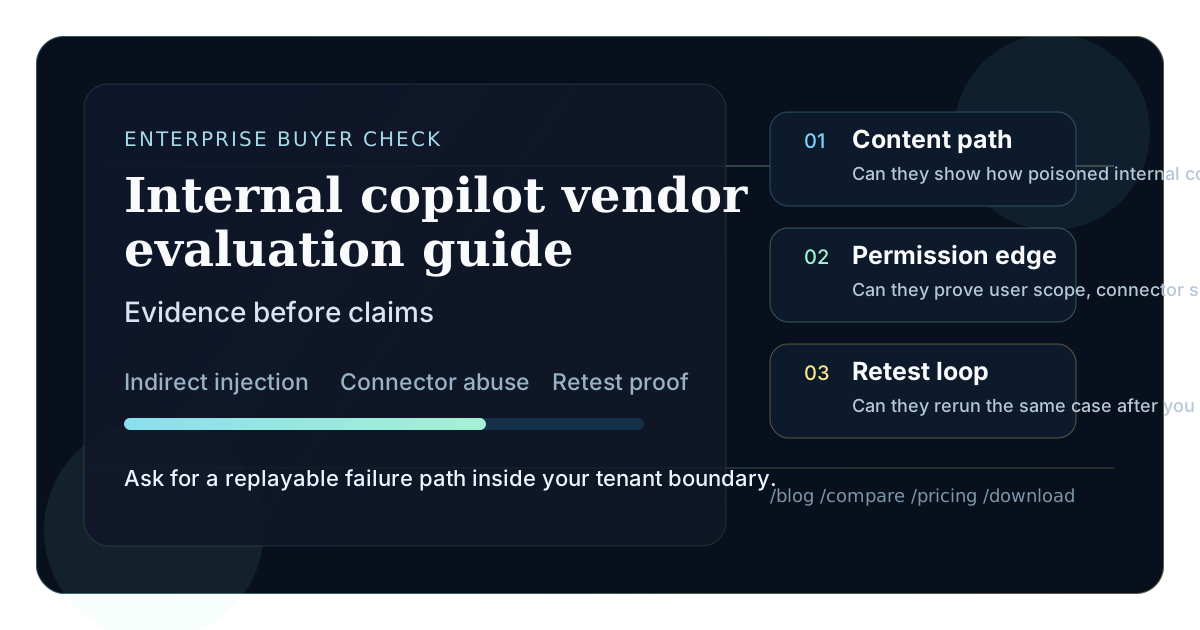
If you are still sorting the category, scan the wider blog and compare pages first. If you already know you need an operator-visible workflow rather than another abstract assessment, keep pricing and download open while you read. For adjacent buyer research, compare this page with AI pentesting vendor evaluation guide for AI agents, best AI pentesting tools for AI agents compared, and best tools for testing indirect prompt injection in AI agents.
Why internal copilots are harder to evaluate than public AI apps
Internal copilots look calm from the outside. The UI may just be a chat pane in Teams, a support console, a browser sidebar, or a ticketing workflow. Underneath, the trust model is messy. The copilot can read employee context, reach internal documents, call connectors, trigger workflows, or draft actions into systems that were never built with model-driven behavior in mind.
That matters because the risk is not only "the model says something wrong." The real problem is that a wrong response may be tied to privileged context and executable actions. On March 11, 2026, OpenAI argued that prompt injection against agents increasingly behaves like social engineering, so the right defensive goal is to constrain impact even when manipulation succeeds. Microsoft's Zero Trust guidance makes the same point from the enterprise side: copilots ingest untrusted emails, documents, websites, plugins, and retrieval results, which means unsafe instructions can arrive through ordinary business content rather than a dramatic red-team prompt.
That is why a normal SaaS pentest buying checklist falls apart here. Internal copilots sit at the intersection of identity, data governance, model behavior, runtime controls, and workflow automation. A vendor that only tests prompt wording will miss the control plane around it. A vendor that only audits permissions will miss how malicious content reaches the model in the first place.
What a strong internal copilot vendor must prove
You do not need a vendor that uses the most dramatic language. You need one that proves it understands the difference between enterprise copilot risk and ordinary application risk. In practice, that means showing strength in five areas.
1. Indirect prompt injection in real enterprise content
The vendor should be able to test malicious instructions hidden in the places your employees already trust: SharePoint pages, Confluence docs, CRM notes, support tickets, email threads, meeting transcripts, uploaded files, or search results. The OWASP LLM Prompt Injection Prevention Cheat Sheet is explicit that remote and indirect injection become much more dangerous when tools and APIs are attached.
If a vendor only demonstrates an attacker typing "ignore previous instructions" into a prompt box, that is not enough. Internal copilots usually fail because they consume mixed-trust content and cannot cleanly separate user intent from hostile instructions embedded in the environment.
2. Permission and connector boundaries
An internal copilot does not need full compromise to create damage. It may only need one overscoped connector, one unsafe flow, or one data source that should have stayed outside the answer path. Microsoft's Copilot Studio security FAQ is useful here because it frames security around knowledge-source controls, tenant governance, and user-specific permissions, alongside model safety.
Ask the vendor to test whether the copilot:
- can retrieve data a user should not see,
- can call a connector with broader privileges than the end user,
- can draft or trigger changes that bypass normal approval paths,
- can leak sensitive data through citations, summaries, exports, or logs.
Least privilege sounds obvious until you watch a copilot inherit more than anyone intended.
If your team is still framing these checks at the workflow layer, AI pentest evidence checklist for AppSec teams and how security engineers should triage AI pentest results are the two supporting reads I would keep nearby.
3. Runtime containment
This is where weak vendors usually start sounding vague. They talk about guardrails. You need them to talk about what happens after the model is manipulated.
Can the vendor show whether risky actions are blocked, reviewed, or sandboxed? Can it explain how the system handles link-following, document retrieval, workflow triggers, and connector execution? Microsoft's Copilot Studio preview for external threat detection is a useful reminder that runtime monitoring and intervention matter, especially when a custom agent can take action rather than just answer a question.
4. Evidence quality
Screenshots are not enough. The report should preserve the malicious input, the context source, the model path, the connector or tool involved, the attempted side effect, and the exact control that failed or held. Good evidence shortens remediation time. Bad evidence turns every issue into an argument between security and engineering.
5. Retest discipline
The first finding is only half the job. Internal copilots change quickly because knowledge sources, connectors, prompt templates, and approval rules all drift. A vendor should be able to rerun the same scenario after you narrow permissions, remove a connector, add a review step, or change retrieval handling. If retesting is vague or treated as a separate consulting exercise every time, the workflow will not scale.
The evaluation scorecard I would use in real buying calls
This is the scorecard I would bring into the first serious vendor demo. Keep it tight. Make each score depend on proof, not on marketing language.
| Criterion | What good looks like | What weak answers sound like |
|---|---|---|
| Indirect injection coverage | Tests poisoned documents, emails, tickets, and web content inside enterprise workflows | "We do jailbreak and prompt fuzzing" |
| Tenant and permission awareness | Demonstrates user-scoped access checks, connector boundaries, and oversharing risks | "The platform is secure by default" |
| Action control testing | Shows what the copilot can attempt, what was blocked, and why | "We focus on model behavior first" |
| Evidence quality | Returns traces, affected data sources, attempted actions, and replay steps | "We provide an executive summary and screenshots" |
| Retest workflow | Replays the exact case after remediation without rebuilding the whole engagement | "That would be phase two" |
| Operational realism | Understands your actual stack: Microsoft 365, internal docs, service desks, BI tools, or custom plugins | "We have a standard copilot package" |
| Governance fit | Can test approval boundaries, DLP assumptions, and audit expectations | "Your compliance team can review that later" |
That third column matters because it exposes a common enterprise buying mistake. Teams hear polished language like "secure by default" and stop asking where the default ends. Defaults help. Defaults are not proof.
Questions that force vendors out of slide-deck mode
Most vendor calls stay too abstract for too long. Ask questions that require visible mechanics.
- Show one indirect prompt injection path that starts in ordinary enterprise content and ends in a blocked or unsafe action.
- Show how you distinguish a harmless bad answer from a real security issue with data exposure or workflow side effects.
- Show one case where the model was manipulated but tenant boundaries, least privilege, or approvals still contained the blast radius.
- Show the exact artifact engineering receives after the test. Not the trimmed summary. The real evidence.
- Show how you test connectors or plugins that run with maker credentials, service identities, or shared application permissions.
- Show how you evaluate oversharing risk for user-scoped versus organization-wide knowledge sources.
- Show one remediation retest.
- Show one thing you refuse to do in production because the scope is too broad or the controls are too weak.
Vendors with real discipline usually answer these cleanly. Vendors selling generalized AI assurance tend to drift back to governance talk, maturity models, or a list of "threat categories" that never touches your actual workflow.
How to scope a proof of concept without wasting a month
The best proof of concept is narrow enough to finish and realistic enough to matter. Pick one internal copilot workflow that already exists and has business weight. Good examples:
- a support copilot that reads knowledge articles and drafts ticket responses,
- a sales or account copilot that summarizes CRM records and internal documents,
- an employee assistant that searches SharePoint, Teams, or internal wiki content,
- a custom Copilot Studio or plugin-based workflow that can trigger flows or connector actions.
Then require four concrete proof points:
- One untrusted-content path into the model context.
- One action or exposure path that could matter to the business.
- One control that is supposed to contain the problem.
- One retest after the control changes.
Keep the POC bounded. Define what data sources are in scope, which connectors may be exercised, what approvals are required before any write-capable action, and what counts as a confirmed finding. If a vendor resists that discipline, it is usually a bad sign. Enterprise copilot testing without guardrails turns into theatre fast.
Where enterprise buyers usually get fooled
I see the same mistakes over and over.
The first mistake is over-valuing brand familiarity. A vendor may have a recognizable AI story and still be weak on internal copilot abuse paths. Testing a public chatbot is not the same as testing a copilot wired into employee data and business actions.
The second mistake is confusing product security features with verified security posture. A platform may offer DLP controls, connector policies, encryption, threat detection hooks, or secure defaults. That is useful. It does not prove your specific deployment is safe. Your prompt templates, data-source choices, sharing model, approval steps, and connector credentials can still create ugly gaps.
The third mistake is buying a report instead of a workflow. If the engagement ends with a PDF that nobody can replay, you will rediscover the same argument during remediation: security says there is risk, engineering says it cannot reproduce the issue, and the product team wants to ship around the ambiguity.
The fourth mistake is treating internal copilot risk as a pure model problem. NIST's adversarial ML taxonomy is a good corrective because it frames attacks and mitigations as system-level concerns with different attacker goals and life-cycle stages. That is closer to reality than pretending every issue is just a jailbreak variant.
What a good deliverable should contain
Before you buy, ask to see a sanitized sample deliverable. It should contain more than a findings table.
A strong deliverable usually includes:
- the business workflow tested,
- the roles and identities used during testing,
- the content source that carried the malicious instruction,
- the retrieval or grounding path into the copilot,
- the connector, plugin, or action surface involved,
- the user-visible result,
- the attempted or actual side effect,
- the control that failed or contained the issue,
- exact reproduction steps,
- a retest section after remediation.
This sounds basic, but it is where good vendors separate themselves. If the deliverable cannot tell you who could trigger the issue, through which data source, and under what permission boundary, it is not decision-grade evidence for an internal copilot.
How I would choose between two close vendors
If two vendors seem technically competent, I would not pick the one with the longest method document. I would pick the one that makes me trust the evidence more.
That usually means the vendor:
- stays concrete about enterprise identity and data boundaries,
- is strict about approval requirements,
- shows failures and contained cases, including the awkward ones,
- understands how user-level permissions differ from maker or service credentials,
- can explain how it tests both oversharing and action abuse,
- is honest about what it cannot validate in one engagement.
I would also bias toward the vendor that gives engineering a cleaner retest path. Internal copilot security is not a one-and-done purchase. You are buying a way to keep pace with connector sprawl, knowledge-source drift, and workflow changes. That is why the more relevant commercial comparison often sits between a repeatable workflow and a one-time assessment, not between two similar-looking consulting packages. The nearby compare, pricing, and download pages are useful for that exact reason. If you want the evidence standard spelled out more explicitly, what should an AI pentest report include and AI pentest report template for AI agents cover the reporting side in more depth.
FAQ
What is the single most important thing to ask an internal copilot pentest vendor?
Ask for one replayable example that starts with untrusted enterprise content and ends with either an unsafe action or a clearly contained attempt. If the vendor cannot show that path, it probably is not testing the real problem.
Is prompt injection testing enough for internal copilots?
No. Prompt injection is only one entry path. You also need testing around retrieval boundaries, connector permissions, maker versus end-user credentials, approval flows, audit logs, and data oversharing.
Why are internal copilots riskier than public chatbots?
Because internal copilots often carry enterprise identity, internal knowledge access, and workflow permissions. A mediocre answer is annoying. A wrong action or a quiet data leak is much more serious.
What should I look for in the report?
Look for concrete evidence: the malicious content source, the path into the model context, the affected connector or tool, the user-visible outcome, the failed or successful control, and retest instructions.
Should I test Microsoft Copilot or Copilot Studio deployments differently from custom internal copilots?
The core questions stay the same, but the control points differ. Platform defaults, tenant settings, connector models, and governance features matter more in managed Microsoft deployments, while custom copilots often introduce extra risk through bespoke retrieval, plugin, or workflow logic.
Bottom line
An internal copilot vendor should not stop at telling you that prompt injection exists or that enterprise AI needs governance. You already know that. The useful vendor is the one that can enter your actual workflow, test the ugly middle where content, permissions, and actions meet, and leave behind evidence your engineers can use next week.
That is the buying bar I would hold. Not polished language. Not abstract maturity claims. A real exploit path, a clear control boundary, and a retest you can trust.
Ready to run your first AI pentest?
Get 0xClaw up and running in under 3 minutes. No infrastructure setup. No cloud dependency.
More AI Pentest Guides
Continue through the local AI pentesting cluster with related guides on workflow, evidence, comparisons, and remediation.
Best AI penetration testing tools 2026
Compare 0xClaw, NodeZero, PentestGPT, Promptfoo, and garak by execution layer. Chat advice is not authorized target testing.
Read next ->AI Pentest CLI Explained | 0xClaw
Learn what an AI pentest CLI is, how local AI penetration testing works, and how to evaluate a safe, authorized workflow.
Read next ->Run a Local AI Pentest Workflow | 0xClaw
Learn how to run a local AI pentest workflow from scope to report across authorized web, API, host, and network testing.
Read next ->