
SOC 2 checklist for MCP servers
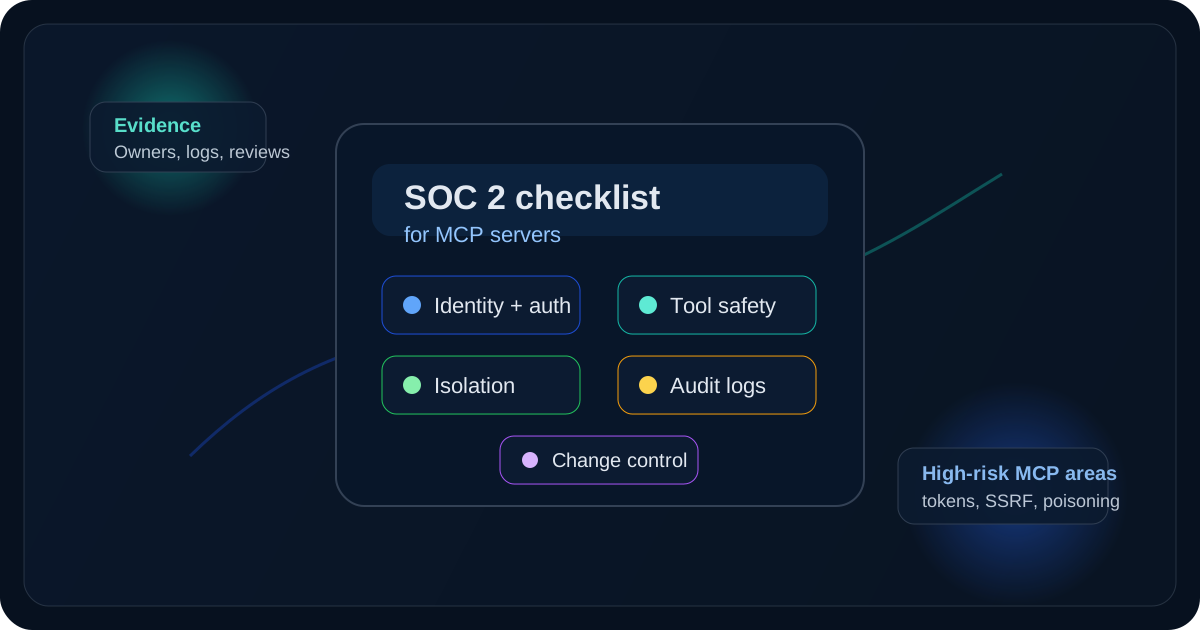
Use this SOC 2 checklist to scope MCP identity, tool, logging, and isolation evidence. It is not a substitute for an AICPA attestation.
Use this SOC 2 checklist to scope MCP identity, tool, logging, and isolation evidence. It is not a substitute for an AICPA attestation.
- SOC 2 checklist for MCP servers should explain infrastructure choices in a way that is easy to quote, compare, and operationalize.
- Tie architecture explanations back to how local execution, governance, and evidence handling work in practice.
- Use official docs plus product pages so the page can rank for definitions and support AI citation.
Quick answer: what belongs on a SOC 2 checklist for MCP servers?
A SOC 2 checklist for MCP servers should map identity, tool access, logging, and isolation to evidence you can hand an auditor. Use it to scope the engagement; it does not issue a report.
No SOC 2 report proves an MCP server is "secure." What it can prove is narrower and more useful: that the controls described in scope were designed, and for Type II reports operated, in a way an auditor could test against the Trust Services Criteria.
Why MCP servers change the normal SOC 2 scoping exercise
An MCP server is not just another CRUD service with a token in front of it. It sits in the middle of a trust chain: model or agent, MCP client, server runtime, tool definitions, prompts, downstream APIs, local files, and logs. That is why the MCP security guidance spends so much time on confused deputy problems, token passthrough, SSRF, session hijacking, and local server compromise. Those are not edge cases. They are the natural failure modes of a system that can make tool calls on behalf of a model.
That changes the scoping conversation for SOC 2. If your service offers remote MCP endpoints, hosts customer-specific connectors, or distributes local MCP components with one-click setup, auditors will expect a system description that explains those trust boundaries clearly. The AICPA system description model matters here because a neat policy folder does not help if nobody can explain which server holds credentials, which component decides authorization, and which logs show what the model actually did.
The other wrinkle is that MCP security failures are often cross-layer failures. OWASP's MCP material calls out poisoned tool descriptions, malicious tool outputs, excessive permissions, and supply chain risk. In practice that means your SOC 2 checklist has to join application security, cloud control, and AI-agent control evidence into one story. If those controls live in separate teams, you need to show how they connect.
1. How do you define the system boundary before mapping controls?
Most weak SOC 2 projects start with a spreadsheet of generic controls. Start with the system boundary instead.
For an MCP deployment, document at least these components:
- remote MCP endpoints and transports
- local
stdiocomponents, if you ship or manage them - authorization servers, identity providers, and token issuance paths
- tool registries, manifests, and schema storage
- downstream systems the server can read or mutate
- logging, queueing, alerting, and secrets-management layers
Then mark the data classes that move through those components: customer content, secrets, tool outputs, audit logs, prompt history, and administrative metadata. If a tool can reach source code, ticketing systems, cloud consoles, or internal databases, say so plainly.
Choose the Trust Services Criteria the same way. Most teams begin with Security, then add Availability, Processing Integrity, Confidentiality, or Privacy only when the product promise, contract, or actual data handling makes them relevant. "Everything is in scope" sounds safe, but it often produces weak evidence and fuzzy ownership.
This is also the point where you decide whether you are preparing for Type I or Type II. Type I evidence is about control design at a point in time. Type II evidence has to show the control operated over a period. For MCP services, that difference matters a lot. A beautifully written access review procedure helps with Type I. For Type II, the auditor will want the actual review records, approvals, removals, and exceptions.
2. How should you handle identity, authorization, and token handling?
Identity and authorization are usually the first place an auditor will press, because MCP servers can easily become privileged brokers.
The MCP specification's security guidance is explicit on a few points that map cleanly into a SOC 2 checklist:
- do not pass upstream tokens through the server as a shortcut
- validate that tokens were issued for the MCP server
- bind consent and redirect handling to the right client
- protect OAuth state and session identifiers properly
Those rules matter because a server that proxies broad credentials without audience checks becomes a compliance problem and an incident problem at the same time.
Your checklist should require:
- unique identities for admins, operators, services, and customers
- MFA for privileged administrative access
- scoped OAuth permissions or per-server service credentials
- short-lived tokens where practical
- periodic access reviews for dashboards, secrets stores, and downstream integrations
- joiner, mover, leaver evidence for employees with production access
If your product supports customer-installed connectors, be careful with over-scoped defaults. "Works out of the box" often means "asks for too much." OWASP's MCP cheat sheet recommends least privilege, per-server credentials, and narrow scopes for exactly this reason.
3. Why should tool definitions and tool outputs be treated as control surfaces?
One mistake teams make is treating tool schemas as product metadata instead of security-relevant configuration. That is not good enough for MCP.
OWASP's MCP Tool Poisoning guidance describes a simple abuse path: a server exposes normal-looking tools, then returns responses that contain hidden instructions. If the client or agent drops those responses into model context without validation, the model may call other tools, read sensitive files, or exfiltrate data. From a SOC 2 perspective, this is not just "AI risk." It is a control design question.
Your checklist should ask:
- Who reviews new tool descriptions and parameter schemas before release?
- Are schema changes versioned and approved?
- Do you restrict free-form parameters where structured values are possible?
- Do you validate tool outputs before they are returned to the model or downstream components?
- Can untrusted external servers influence privileged internal tools?
Good evidence here is concrete. Show pull requests for schema changes. Show release approvals. Show output-validation tests. Show that sensitive tools require separate approval or separate execution contexts. If your policy says "the model must not do X" but the backend still allows it, you do not have a strong control.
4. How do you isolate execution, network paths, and secrets?
MCP deployments get risky fast when the runtime can reach too much. The MCP security best-practices document and the CISA-led AI deployment guidance both push in the same direction: isolate components, restrict network paths, harden the deployment environment, and assume hostile inputs.
For a SOC 2 checklist, that usually means proving:
- local or high-risk MCP servers run in containers, VMs, sandboxes, or similarly isolated environments
- network egress is restricted by policy, not only by model instructions
- file-system access is limited to required directories
- cloud metadata endpoints and internal admin surfaces are blocked when not needed
- secrets are stored in a managed secrets system, not in source code or tool manifests
- production and test environments are separated
This is also where MCP-specific SSRF and confused deputy risks belong. The MCP guidance warns that OAuth discovery and related URLs can be abused to reach internal services or cloud metadata endpoints if operators do not restrict destinations. If your server fetches URLs, exchanges tokens, or calls third-party APIs on behalf of customers, show the egress controls and the validation rules.
5. What logs prove who did what, when, and through which server?
Many teams have logs. Fewer have logs that answer auditor questions cleanly.
For MCP, useful logging usually includes:
- administrative login, role change, and configuration change events
- server registration and connector-install events
- tool schema changes and approval history
- high-risk tool calls, with sensitive values redacted
- outbound integration errors, denials, and unusual destinations
- incident alerts tied to the affected customer, connector, or server instance
The point is not to log everything forever. The point is to preserve enough evidence to reconstruct an action path. If a model triggered a privileged tool call through a specific connector with a specific service account, you should be able to prove which server handled it, what policy allowed it, and what happened next.
This is one reason MCP logging needs tighter structure than generic application telemetry. Free-text traces are useful for debugging. They are bad audit evidence unless you can link them to user identity, timestamps, immutable storage, and retention rules.
6. How do you make change management and vendor review auditable?
MCP services change in ways auditors will care about: tool sets change, schemas change, prompt templates change, downstream APIs change, SDK versions change, and vendors publish new connectors. If those changes land without review, the control story falls apart.
Your checklist should cover:
- documented SDLC and approval flow for production changes
- dependency and image scanning for the MCP runtime and connectors
- review of open-source or third-party MCP packages before use
- rollback procedures for broken or unsafe releases
- incident response paths for compromised connectors or malicious tool behavior
- vendor due diligence for hosted MCP providers or critical downstream SaaS dependencies
The supply-chain angle is easy to underestimate. OWASP's MCP cheat sheet explicitly calls out untrusted packages and compromised public registries. For compliance, that means you should keep approval records, dependency inventories, and remediation evidence for vulnerable components. If you use outside vendors, this is also the section where CAIQ answers, CSA CCM mappings, pen test reports, or the vendor's own SOC report may help. They do not replace your internal review of how the vendor is used in your system.
What evidence auditors usually expect to see
The best time to think about evidence is before the control owner writes the first policy. A short checklist is fine, but every item should point to an artifact an auditor can inspect.
For MCP services, the evidence package usually includes:
| Control area | Useful evidence |
|---|---|
| System description | architecture diagram, scoped components list, trust-boundary notes |
| Access control | role matrix, MFA enforcement screenshots, quarterly access review records |
| Authorization | OAuth scope definitions, token validation design, approval records for privileged integrations |
| Tool governance | schema review pull requests, tool approval workflow, test cases for output validation |
| Infrastructure isolation | container or VM policies, network rules, secrets manager configuration, environment separation |
| Logging and monitoring | sample audit logs, alert rules, retention settings, incident tickets |
| Change management | deployment approvals, release notes, rollback evidence, emergency-change documentation |
| Vendor management | due diligence checklist, contract review notes, vendor security reports, exception decisions |
The AICPA illustrative SOC 2 report is useful here because it reminds teams what the auditor is actually testing: the system description, management's assertion, and the tests of controls and results. That should shape how you collect evidence. A slide deck about your security program is not the same thing as operating evidence.
A practical SOC 2 checklist for MCP services
Use this as the working list your control owners maintain. The right answer for each row is not "yes." It is "yes, and here is the evidence."
| Checklist item | Why it matters for MCP | Evidence example |
|---|---|---|
| Inventory every MCP server, transport, connector, and downstream system in scope | Hidden connectors create audit blind spots | asset register, system diagram, owner list |
| Define which data classes each tool can access or modify | MCP tools often cross sensitive boundaries | data-flow map, data classification sheet |
| Require MFA and role-based access for admin paths | Admin consoles and connector settings are high-value | IdP policy export, role matrix |
| Use scoped credentials per server or per connector | Shared tokens widen blast radius | secrets inventory, service-account policy |
| Validate token audience and reject passthrough shortcuts | Proxy patterns can break accountability | auth design doc, code review, test evidence |
| Review and approve tool schemas before production release | Tool descriptions and parameters are injection surfaces | pull request history, approval record |
| Validate tool outputs before reuse by the model or another tool | Poisoned outputs can trigger unauthorized actions | unit or integration tests, guardrail design |
| Restrict egress and block internal metadata endpoints unless required | SSRF is a known MCP risk | firewall or proxy rules, cloud policy screenshots |
| Isolate risky servers with containers, VMs, or strong sandboxing | Local and connector runtimes can execute real actions | runtime config, sandbox policy |
| Log privileged tool calls and config changes with redaction | Auditors need traceability without leaking secrets | sample audit log, retention policy |
| Scan connector dependencies and document remediation | Public packages and SDKs can shift quickly | SBOM, scan report, patch ticket |
| Re-test high-risk controls over time for Type II readiness | Type II needs operating evidence, not intent | quarterly review package, control test results |
If you are building the program from scratch, keep the checklist attached to a real owner and a review cadence. A compliance list with no owner becomes a writing exercise.
Where teams usually overclaim
This is the part worth being blunt about.
First, a SOC 2 report does not mean the MCP server is safe against every prompt injection or tool-poisoning trick that shows up next month. It means the scoped controls were examined against the selected criteria. That distinction matters.
Second, a vendor's report is not your report. If your product connects to third-party MCP servers, customer-hosted servers, or open-source connectors, your own control story still has to explain how you approve, isolate, monitor, and revoke them.
Third, do not hide the local-runtime question. If your product distributes local MCP components, the host boundary matters. The MCP guidance explicitly warns that local servers can become vehicles for arbitrary code execution or data exfiltration if they are installed or launched carelessly. Auditors may not use that exact phrasing, but they will still ask who can install the component, how it is updated, and what it can touch.
If your team is still deciding whether to evaluate a local-first workflow or a hosted platform, the blog and the compare hub are better starting points than generic AI agent marketing pages. If procurement is already active, use pricing only after the scope, data handling, and evidence owners are clear. If you want to test an operator-controlled workflow directly, start at download.
FAQ: SOC 2 checklist for MCP servers
Does a local stdio MCP server belong in SOC 2 scope?
It can. If you ship it, manage it, or rely on it to provide the service described in scope, you should evaluate whether it belongs in the system boundary. If it is purely customer-managed software outside your operated service, document that boundary clearly instead of being vague.
What is the biggest control gap teams miss?
Usually it is the gap between model behavior rules and backend enforcement. Teams often write a policy that says the model should not access sensitive tools, but they do not separate those tools technically or require explicit approval. That leaves too much trust in prompt following.
What is the best evidence for prompt injection or tool poisoning controls?
Show the review and validation chain. That means approved tool schemas, guardrails on output handling, separation of privileged tools, test cases for malicious content, and logs that prove sensitive actions still need backend approval.
Can a third-party vendor's SOC 2 report replace my own checklist?
No. It can reduce diligence work, but it does not replace your need to review the vendor's scope, carve-outs, connector permissions, and how their product fits into your own system boundary.
Should MCP teams ask for a Type I or Type II report first?
If the program is young, Type I may be the practical starting point because it tests control design. If customers are already asking for stronger proof, Type II is usually the more persuasive destination because it shows controls operated over time. The right answer depends on maturity, not marketing pressure.
Bottom line
The right SOC 2 checklist for MCP servers is not a generic SaaS template with "AI" added to a few rows. It should reflect the real MCP attack surfaces: privileged brokers, tool poisoning, token misuse, SSRF, local runtime compromise, and weak change control around connectors and schemas.
Keep the checklist narrow, evidence-backed, and honest about scope. If you can point each row to a named owner, a real artifact, and a control that actually operates in production, you are in much better shape for both the audit and the security review that should happen before the audit.
Ready to run your first AI pentest?
Get 0xClaw up and running in under 3 minutes. No infrastructure setup. No cloud dependency.
More AI Pentest Guides
Continue through the local AI pentesting cluster with related guides on workflow, evidence, comparisons, and remediation.
Best AI penetration testing tools 2026
Compare 0xClaw, NodeZero, PentestGPT, Promptfoo, and garak by execution layer. Chat advice is not authorized target testing.
Read next ->AI Pentest CLI Explained | 0xClaw
Learn what an AI pentest CLI is, how local AI penetration testing works, and how to evaluate a safe, authorized workflow.
Read next ->Run a Local AI Pentest Workflow | 0xClaw
Learn how to run a local AI pentest workflow from scope to report across authorized web, API, host, and network testing.
Read next ->