
MCP Pentest Report Sample | 0xClaw
Use this sample MCP pentest report to write clearer findings, stronger evidence packs, cleaner reproduction steps, and retest notes.
Use this sample MCP pentest report to write clearer findings, stronger evidence packs, cleaner reproduction steps, and retest notes.
- MCP Pentest Report Sample | 0xClaw should explain infrastructure choices in a way that is easy to quote, compare, and operationalize.
- Tie architecture explanations back to how local execution, governance, and evidence handling work in practice.
- Use official docs plus product pages so the page can rank for definitions and support AI citation.
Quick answer: what should an AI pentest sample report for MCP servers include?
An AI pentest sample report for MCP servers should record seven things without getting cute about any of them: the exact host-client-server path in scope, the transport and authorization model, the tools or resources the server exposed, the raw evidence that proves the behavior, the reproduction steps another engineer can replay, the risk in plain English, and the retest condition that must fail after the fix. If one of those pieces is thin, review gets messy fast.
That matters more for MCP than for a plain web route because the protocol creates several trust boundaries at once. The official MCP architecture keeps the host, client, and server separate, and the authorization guidance treats transport and auth choices as part of the design, not just implementation detail. Your report has to preserve those boundaries. If you want the one-page version first, open the sample report SVG.
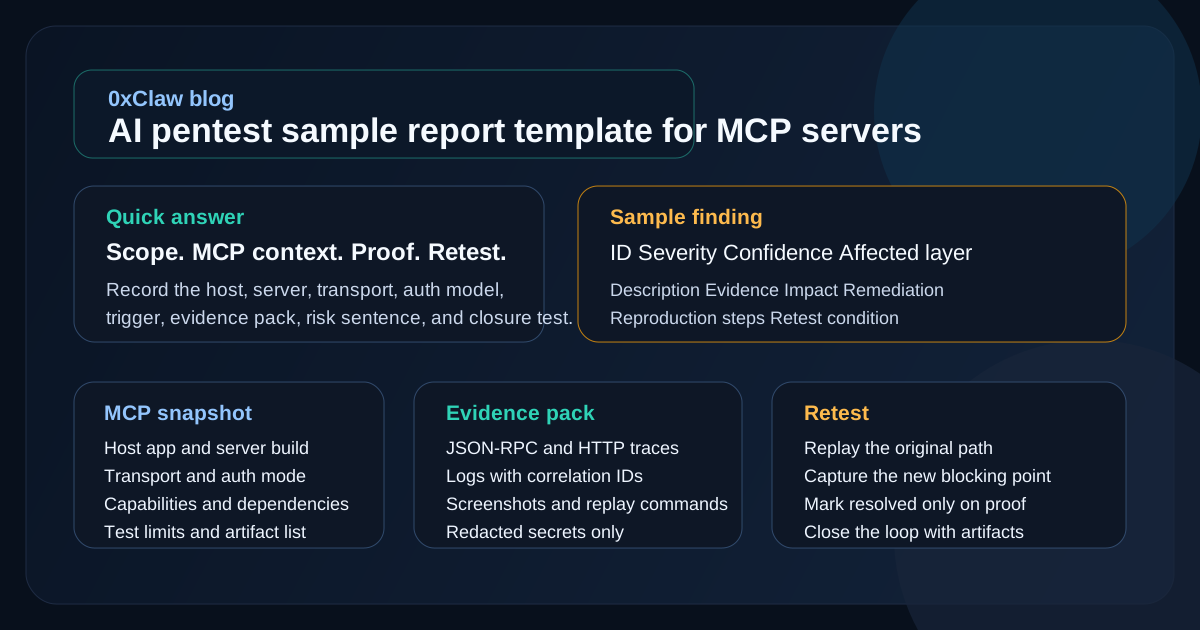
If you need the broader reporting baseline before this sample, read what an AI pentest report should include. If you want the protocol background first, start with what MCP is.
Why MCP sample reports break when they look like normal web pentest reports
I keep seeing the same mistake. Teams run a valid assessment, then flatten the result into a generic finding list that could have come from any API engagement. That usually throws away the exact detail that AppSec reviewers need.
MCP does not behave like a single application tier. The protocol uses a host-client-server architecture over JSON-RPC. The host controls connection permissions and consent, each client keeps a stateful one-to-one session with a particular server, and the server exposes resources, prompts, and tools through negotiated capabilities. That is straight out of the MCP architecture spec. If your report says only "the AI app was vulnerable," the real owner of the fix is already harder to find.
The transport model changes the writing too. The authorization guide draws a sharp line between local stdio servers and remote HTTP-based flows. Local servers may rely on environment-based credentials; remote servers often need OAuth-based authorization. Those are different attack surfaces, different logs, and different retest paths. One template can cover both, but only if the report states which model you were actually looking at.
OpenAI's own MCP guidance adds another reviewer concern: any custom MCP server may receive sensitive data, and write actions increase the downside if the server is wrong, compromised, or just poorly designed. That is why a report for AppSec teams should show not only the exploit path but also what the server could touch, what data crossed the boundary, and whether the tested action was read-only or state-changing.
Start with an engagement snapshot, not a fluffy intro
The opening section should make the rest of the report cheaper to read. You are not trying to sound formal. You are trying to remove ambiguity.
Use a small table like this near the top:
| Field | What to record | Why the reviewer cares |
|---|---|---|
| Target server | Name, version, package, commit, or registry source | Confirms exactly which implementation was tested |
| Host application | Product and version that initiated the MCP session | Host logic often owns consent and lifecycle controls |
| Transport | stdio, Streamable HTTP, SSE, or another supported path | Transport changes both auth behavior and attack surface |
| Authorization model | None, API key wrapper, OAuth-based MCP auth, or custom scheme | Tells reviewers where the trust boundary lives |
| Declared capabilities | Tools, resources, prompts, sampling, subscriptions | Shows what should have been reachable at all |
| Upstream dependencies | APIs, file system access, databases, cloud metadata, local OS access | Helps reviewers judge blast radius |
| Test limits | Read-only rules, blocked actions, timebox, access gaps | Prevents false assumptions later |
| Evidence sources | HAR, JSON-RPC traces, screenshots, terminal logs, packet captures | Makes the proof trail explicit from page one |
This is the part many teams skip because it feels administrative. It is not. OWASP's reporting structure calls out scope, limitations, timeline, and findings structure for a reason. NIST SP 800-115 says the point of the assessment process is to help teams plan, test, analyze findings, and develop mitigation strategies. If the snapshot is vague, the mitigation conversation gets vague too.
Use a report structure that another engineer can replay
For MCP work, I would keep the main document lean and predictable:
- Engagement snapshot
- System map
- Findings summary table
- Finding details
- Evidence appendix
- Retest section
That is enough. Most reports get worse when they try to sound weightier than the work.
The "system map" deserves a real place in the document. A single diagram or short narrative should answer five questions:
- Which host created the MCP session?
- Which server did the client connect to?
- Which capabilities were negotiated during initialization?
- Which upstream systems or local resources could the server reach?
- Where did authentication and authorization decisions actually happen?
The MCP architecture spec makes those boundaries explicit, and the authorization guide explains how protected remote servers advertise auth metadata and challenge clients. A good report should mirror that clarity. If the issue sits in discovery, consent, token validation, or a tool handler, say so early.
This is also where internal consistency helps. If you already use an evidence checklist for AppSec teams, the report sections should match that checklist instead of inventing new labels every engagement.
Sample finding: per-client consent gap in a remote MCP proxy
The example below is illustrative. It is not a claim about a specific product. I am using it because the MCP security best practices document spells out this class of failure clearly enough that AppSec teams can recognize it in the wild.
ID: MCP-04
Title: Per-client consent gap allowed authorization code capture in proxy mode
Severity: High
Confidence: Confirmed
Affected layer: Remote MCP proxy authorization flow
Related guidance: MCP Security Best Practices / confused deputy protections

Preconditions:
- The proxy used a static upstream client ID with a third-party authorization server
- Dynamic client registration was enabled for MCP clients
- The victim had previously completed a legitimate consent flow

Description:
The remote MCP proxy stored a generic "user has consented" state instead of
binding consent to the requesting MCP client ID and exact redirect URI. After
the victim completed one normal authorization flow, a crafted authorization
request from a second MCP client reused the existing consent state. The third
party authorization server skipped the consent prompt and redirected the
authorization code to the attacker-controlled redirect URI.

Evidence:
1. Browser capture showing the victim completed a legitimate consent flow for
   Client A at 10:14:22 UTC.
2. HAR entry showing Client B initiated a second authorization request with a
   different redirect URI at 10:19:07 UTC.
3. Proxy log line `consent_granted=true user_id=1842` with no bound client ID.
4. Callback request at 10:19:09 UTC delivering a valid authorization code to
   the attacker-controlled redirect URI.
5. Token exchange response proving access to the third-party API as the victim.

Impact:
An attacker controlling a malicious MCP client could obtain third-party API
access as a previously authenticated user without receiving fresh consent. The
trust boundary failed in the MCP proxy's consent binding logic, not in the
upstream API itself.

Remediation:
- Store consent against user ID + MCP client ID + exact redirect URI
- Reject redirect URI changes unless the client re-registers
- Generate and validate single-use OAuth state values only after MCP-level
  consent is approved
- Add audit logging that records requested client ID, redirect URI, and scope

Retest condition:
Repeat the same crafted authorization flow after the fix. The proxy should
either reject the request or force a fresh consent step tied to Client B and
its registered redirect URI. No authorization code should reach the attacker
redirect.
Why is this sample useful? Because it names the broken boundary, shows the proof trail, and gives the remediation owner somewhere real to start. It does not stop at "authorization weakness." That phrase wastes review time.
Build evidence packs that survive skepticism
Evidence is where an AppSec lead decides whether your report is solid or just persuasive. The OWASP reporting guide explicitly recommends reproducible artifacts such as curl commands, PoCs, HAR files, and simple automation. MCP work needs the same discipline, plus protocol context.
Here is the evidence pack I would expect for a serious MCP server finding:
| Artifact | What it proves |
|---|---|
| JSON-RPC transcript or redacted tool trace | Which capability was invoked and with what arguments |
| HTTP request and response capture | What crossed the remote auth or transport boundary |
| Screenshot or screen recording | What the operator or user actually saw |
| Server log excerpt with correlation ID | Where the server made the decision that mattered |
| Environment snapshot | Server version, host version, enabled tools, auth mode |
Reproduction script or curl sequence | Whether another engineer can replay the behavior |
| Retest artifact | That the post-fix path now fails in the expected place |
Two habits help here.
First, keep the raw agent monologue out of the main finding body. Use it as background, not as the finding itself. AppSec teams review proof, not vibes.
Second, redact like an adult. The authorization guide says not to log credentials, tokens, codes, or secrets. The OpenAI MCP docs warn that MCP servers may receive sensitive data during normal use. Your evidence pack should show enough detail to validate the issue without leaking new secrets into the report.
If your team wants a deeper breakdown of what to preserve before triage, use how security engineers should triage AI pentest results alongside the report template.
Write risk in plain English, then add the technical detail
The OWASP reporting structure asks for likelihood or exploitability, impact, risk level, description, and remediation. That is still the right frame for MCP findings. The mistake is filling those fields with padded language.
Bad risk writing usually sounds like this:
Improper authorization may result in unauthorized access to sensitive resources.
That sentence is technically possible and practically useless.
Better risk writing names the actor, the broken boundary, and the consequence:
A malicious MCP client can reuse a prior consent state and obtain a valid authorization code for the victim's third-party integration. The break sits in the proxy's consent binding logic, so the fix belongs in the MCP authorization layer rather than the upstream API.
That is the sentence an engineer can route.
I like to score MCP findings with five short fields:
| Field | Question to answer |
|---|---|
| Severity | If this works, how bad is the outcome? |
| Confidence | How strong is the proof we captured? |
| Boundary crossed | Which layer failed: host, client, server, auth, or upstream dependency? |
| Preconditions | What had to be true before the exploit worked? |
| Owner | Which team can actually fix it? |
You can still add CVSS if your program requires it. If not, do not pretend more precision than you really have. A sharp severity-plus-confidence pair is often easier for AppSec teams to use than a decimal score pasted in from habit.
Retest sections should be short, strict, and impossible to misread
Retest writing is where strong reports pull away from weak ones. OWASP explicitly suggests summarizing previous findings and their updated status when a report includes retest work. That matters for MCP because fixes often land across code, configuration, and operational policy at the same time.
A good retest section should answer four things:
- Which original finding ID was retested
- What exact build, deployment, or configuration was under review
- Which original reproduction steps were rerun
- What new evidence proves the broken path is now blocked
That is it. You do not need a victory lap paragraph.
For example:
Retest status: Resolved

Retested finding:
- MCP-04 Per-client consent gap allowed authorization code capture in proxy mode

Build under test:
- mcp-proxy 2.6.3
- consent-service commit 9f2d0c7

Retest method:
- Replayed the original crafted authorization request
- Changed the redirect URI to the previously attacker-controlled value
- Observed the consent flow and callback sequence

Result:
- Proxy rejected the modified redirect URI with HTTP 400
- No authorization code was issued
- Audit log recorded client ID mismatch with correlation ID RC-44192
If you want a fuller workflow for validation after fixes land, read how security teams can retest fixes with AI pentest workflows. It pairs well with this report pattern because it keeps closure tied to evidence instead of a developer comment that says "should be fixed."
A lean sample report template you can paste into your next assessment
Use this as a starting block. Expand only when the target or the audience really needs more.
# Engagement snapshot

- Engagement name:
- Date tested:
- Tester(s):
- Target MCP server:
- Version / commit / package:
- Host application:
- Transport:
- Authorization model:
- Declared capabilities:
- Upstream systems reachable:
- Out-of-scope actions:
- Evidence sources collected:

# System map

- Host -> client -> server path:
- Local resources exposed:
- Remote APIs exposed:
- Key trust boundaries:
- Notes on session lifecycle or capability negotiation:

# Findings summary

| ID | Title | Severity | Confidence | Affected layer | Status |
| --- | --- | --- | --- | --- | --- |

# Finding MCP-01: [title]

- Severity:
- Confidence:
- Boundary crossed:
- Preconditions:
- Owner:

## Description
[What happened in plain English.]

## Evidence
- Trigger:
- Request / response or JSON-RPC trace:
- Observable effect:
- Screenshots or artifacts:

## Impact
[What access, disclosure, or control was gained.]

## Remediation
[What should change, and in which layer.]

## Reproduction steps
1. ...
2. ...
3. ...

## Retest condition
[What must fail after the fix.]

# Appendix

- Redacted logs
- HAR files
- PoC scripts
- Notes on unconfirmed leads
That template is intentionally spare. It gives AppSec reviewers enough structure to challenge the finding, enough evidence to route the work, and enough retest clarity to close it later.
FAQ
What makes an MCP sample report different from a normal pentest report?
The report still needs scope, findings, evidence, remediation, and retest. The difference is that MCP assessments have more than one meaningful boundary. The host, client, server, transport, and upstream services can each own part of the failure, so the report has to keep those layers separate.
Should I include raw model reasoning in the report?
Usually no. Keep raw reasoning, transcripts, or tool chatter in an appendix if they help explain the workflow. The main finding should rely on verifiable evidence such as request traces, logs, screenshots, and repeatable reproduction steps.
How much MCP protocol detail belongs in each finding?
Enough to explain the exploit path and the remediation owner. If the issue depends on negotiated capabilities, token audience checks, stdio versus HTTP transport, or protected resource metadata discovery, include that detail. If it does not matter to the finding, leave it out.
Do local stdio MCP servers need the same report structure as remote OAuth-based servers?
Mostly yes, but the evidence changes. Local stdio servers often shift the risk toward workstation privileges, file access, local process trust, and embedded credentials. Remote servers usually need more detail around discovery, token handling, consent, and upstream API access.
What should an AppSec reviewer challenge first?
Challenge the boundary claim. Ask whether the report proves where the failure actually happened, whether the evidence is enough to replay the behavior, and whether the remediation points at the team that can fix it.
Bottom line
The best AI pentest sample report template for MCP servers is not the longest one. It is the one that survives review without forcing the reader to guess. Name the tested path. Name the broken boundary. Attach the proof. Write the risk like a person. End with a retest condition that can go green or red with evidence.
That is the standard I would want if I were the AppSec lead signing off on the finding.
Ready to run your first AI pentest?
Get 0xClaw up and running in under 3 minutes. No infrastructure setup. No cloud dependency.
More AI Pentest Guides
Continue through the local AI pentesting cluster with related guides on workflow, evidence, comparisons, and remediation.
Best AI penetration testing tools 2026
Compare 0xClaw, NodeZero, PentestGPT, Promptfoo, and garak by execution layer. Chat advice is not authorized target testing.
Read next ->AI Pentest CLI Explained | 0xClaw
Learn what an AI pentest CLI is, how local AI penetration testing works, and how to evaluate a safe, authorized workflow.
Read next ->Run a Local AI Pentest Workflow | 0xClaw
Learn how to run a local AI pentest workflow from scope to report across authorized web, API, host, and network testing.
Read next ->